

Views: 0 Author: Site Editor Publish Time: 2026-11-24 Origin: Site


Choose a sewer camera screen by testing whether you can distinguish inspection details in the outdoor conditions where you work. Brightness matters, but reflections, shading, viewing angle, screen size, and interface design also affect readability. A large or high-resolution display is not automatically easy to use in direct sunlight.
The real requirement is more demanding than seeing a moving picture. An operator needs to distinguish dark areas, reflective wet surfaces, small features, distance readings, and recording status without repeatedly interrupting the inspection. A useful buying process tests those tasks rather than relying on a single display specification.
Key takeaways
Compare brightness with reflection control and real outdoor performance.
Test inspection footage and interface text, not only bright demonstration images.
A sun hood and adjustable mount can improve viewing conditions.
Check runtime and handling at the brightness setting actually needed for work.
Screen glare affects the operator's view; recording quality must be assessed separately.
Readability depends on the relationship between the displayed image and light reaching or reflecting from the screen. Reflections can hide the differences between nearby dark tones even when the screen remains visibly on.
This matters in pipe inspection because relevant features are not always bright and obvious. A small surface discontinuity or partly shadowed joint may be harder to distinguish than the overall pipe opening.
Ask a practical question during a demonstration: can the operator make the required observation from a normal working position? If the answer requires covering the screen with a hand or leaning into a reflection-free spot, the setup may need better shading or adjustment.
The monitor should also support the complete job. Finding the record button, checking available storage, and reading the distance display are part of outdoor usability. A screen that shows clear footage but unreadable controls can still cause avoidable operating errors.
A nit is a unit of luminance equal to one candela per square meter. The specification helps compare emitted screen brightness, but it does not by itself predict outdoor readability.
Check whether a quoted value is typical, maximum, or measured under a special setting. Ask whether that output is sustained during normal battery operation. Keep comparisons like-for-like rather than ranking products by whichever number is largest.
A universal pass mark is not appropriate for every work environment. A shaded yard, exposed construction site, and inspection vehicle can create different viewing conditions. Define the intended environment before choosing a brightness target.
Reflected light can conceal image detail. Surface treatment changes how reflections appear, so compare the actual screen rather than relying only on an “anti-glare” label.
Also test any cover or protective film included with the system. An added surface can change reflections and perceived sharpness. Do not remove or replace a protective layer without checking the equipment instructions.
Inspect dark-to-dark transitions in relevant footage. These are often more informative than a colorful promotional image. Move to the side and change your viewing height to see whether useful detail remains distinguishable.
An IPS panel designation can identify a display technology, but it is not a complete sunlight-readability specification. Brightness, surface construction, protective layers, and mounting conditions still need assessment.
A larger screen can make features easier to view from a comfortable distance, provided the camera signal and display quality support the detail. Extra display pixels cannot restore information that the camera did not capture.
Check the size of text and controls too. Distance readings, recording indicators, battery status, and filenames should be readable from the intended operating position. A high-resolution interface with very small text may not suit field use.
Specification or feature | Why it matters | How to verify it |
|---|---|---|
Brightness | Contributes to image visibility under ambient light | Compare sustained settings using the intended power source |
Reflection control | Affects whether glare hides detail | Inspect the actual screen in representative light |
Viewing angles | Affect use from different positions | Check from the side and at realistic working heights |
Size and resolution | Affect detail presentation and viewing distance | Use the same inspection image at a normal working distance |
Interface layout | Affects recording and reference checks | Read status and operate controls outdoors |
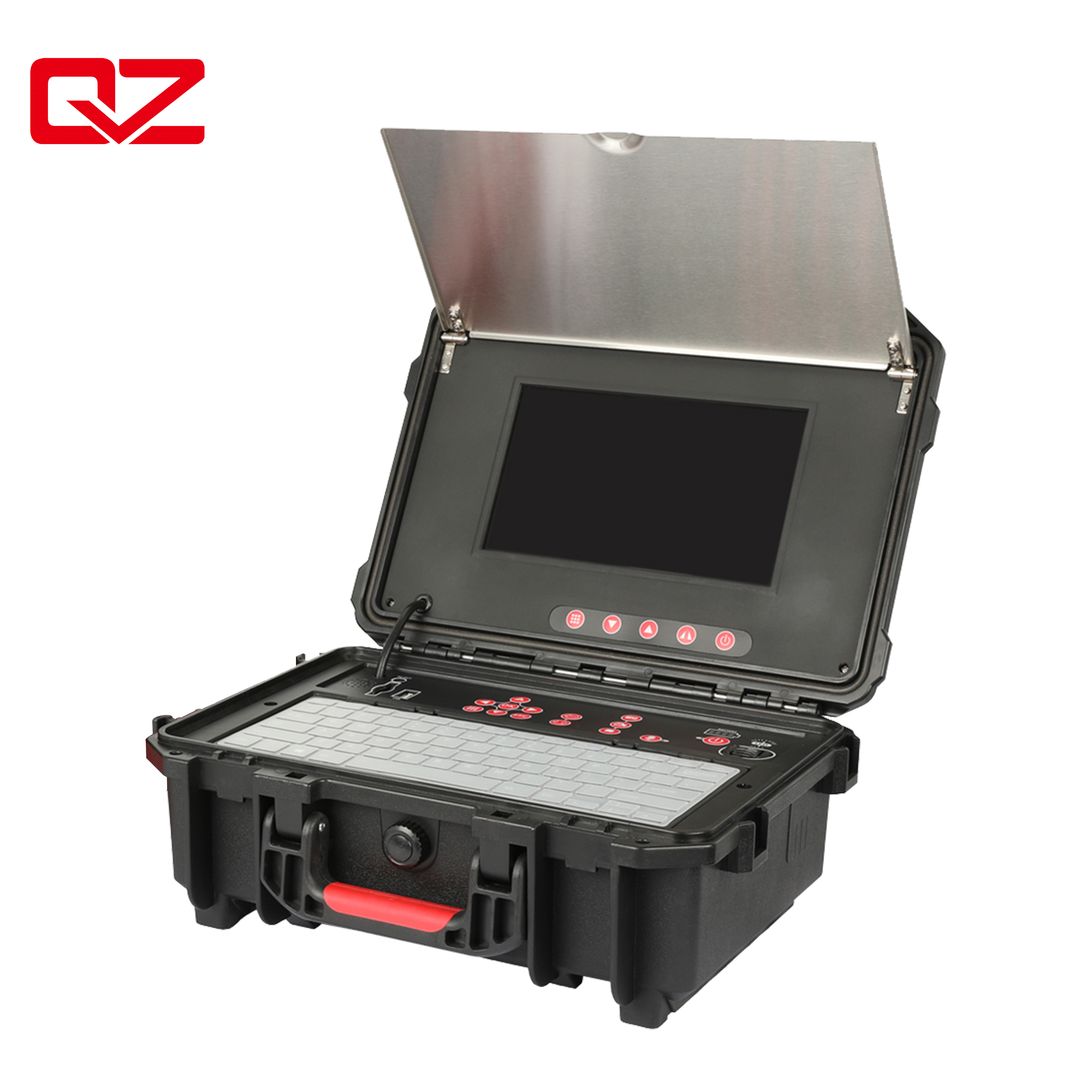
A sun hood reduces some direct light reaching the display. Its usefulness depends on coverage, screen angle, and where the sun is relative to the operator. A shallow hood may help in one position and provide little shade in another.
Test the hood while operating the controls, not just while viewing a still image. Confirm that it does not obstruct buttons, cables, or the operator's view of important status information. Check how easily it folds or packs for transport.
An adjustable mount gives the operator more options for avoiding reflections. However, the complete system must remain stable at the chosen angle. A position that improves the image but makes the equipment awkward to use is not a satisfactory field arrangement.
Also consider the working area. A display that performs well on a bench may be difficult to place next to a confined access point. Check cable routing, height, reach, and the space needed for the reel and operator.
Higher backlight settings can increase power demand, so evaluate runtime at the setting you intend to use. A battery estimate measured under different brightness or operating conditions may not describe an outdoor inspection.
Ask what happens during sustained operation in the specified ambient temperature range. If the display changes brightness or the system issues a temperature warning, the operator needs to understand that behavior before field deployment.
Screen size also affects portability, case dimensions, and mounting requirements. A larger display can help group viewing, while a compact arrangement may be easier to position at a restricted entry. Compare the complete work setup rather than the display in isolation.
For work split between exposed yards and shaded plant rooms, compare adjustable brightness and practical shading as a combination. The highest maximum-brightness figure may not identify the setup that is easiest to position, operate, and power throughout the actual job.
Use a repeatable test with representative inspection material. Whenever possible, compare displays at the same location and time, using equivalent content and documented brightness settings. A test video recorded indoors under studio lighting is not a complete outdoor demonstration.
Choose the conditions. Test open sunlight and the shade available at typical jobs. Record the conditions rather than calling the result simply “outdoor tested.”
Use relevant images. Include a dark section, wet-wall reflections, a small visible feature, and footage with distance or status information.
Set normal operation. Use the intended battery or approved supply, fitted screen protection, and available hood.
Check working positions. View from normal height and distance, then from the side if customer or team viewing matters.
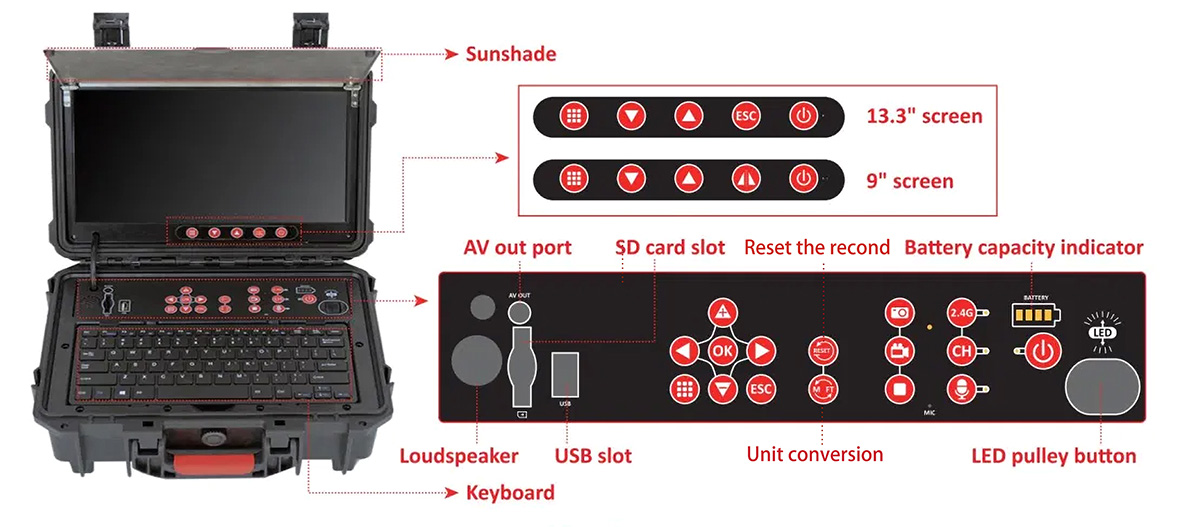
Operate the interface. Start and stop recording, capture an image, read the distance, and find a saved file.
Repeat after sustained use. Observe whether the display remains usable and whether the setup is practical to handle.
Review saved footage separately. Compare the file on a suitable second display to distinguish monitor visibility from capture quality.
Acceptance item | Observation to record | Result |
|---|---|---|
Dark inspection detail | Can the target feature be identified at normal distance? | Pass / Needs adjustment / Unsuitable |
Reflections | Can glare be controlled with normal positioning? | Pass / Needs adjustment / Unsuitable |
Interface text | Are distance, recording, and battery indicators readable? | Pass / Needs adjustment / Unsuitable |
Hood and mount | Do they provide shade without blocking operation? | Pass / Needs adjustment / Unsuitable |
Runtime and handling | Does the intended setup support the planned job? | Pass / Needs adjustment / Unsuitable |
Keep the acceptance task specific. “Readable” is subjective; “the operator can identify the selected feature and read the distance without changing the normal work position” is easier to review.
Request the display specification for the exact ordered configuration, including size, resolution, brightness information, mounting, and supplied shading accessories. Confirm whether alternative monitor versions change other system functions.
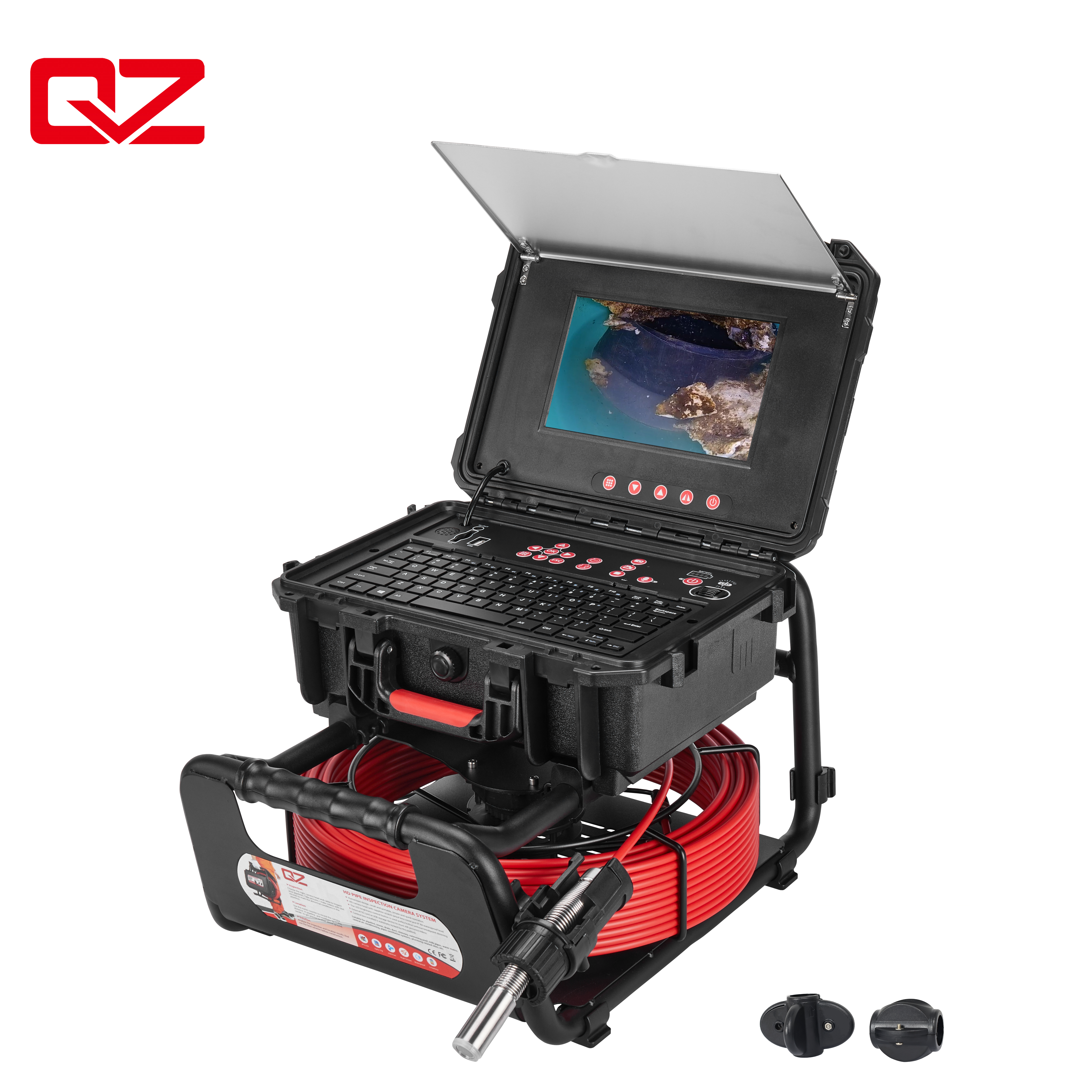
QYTeco's 9-inch inspection camera system provides one screen configuration to evaluate. Compare the actual unit against your outdoor acceptance tasks rather than treating the product name as a performance guarantee.
The broader sewer camera selection guide can help balance display needs with head access, cable handling, imaging, and service requirements. A readable screen supports those capabilities; it does not replace them.
A sunlight-readable sewer camera screen should let the operator perform the inspection and use the interface under realistic outdoor conditions. Evaluate brightness together with reflections, shading, viewing position, runtime, and handling. Monitor configurations supplied by QYTeco can be compared through the same practical test. Choose the display that supports the required observations during a complete working session, and retain the test conditions so the purchasing decision is based on repeatable evidence.
No. Panel technology alone does not establish outdoor performance. Brightness, reflections, protective layers, shading, and the intended viewing position also matter.
No. Size changes presentation, but a large display can still reflect strong light. Evaluate reflection control and positioning as well as size.
External glare on the screen does not itself alter the captured video file. Camera exposure, lighting, lens condition, and recording settings affect the recorded image and should be checked separately.
It can improve viewing conditions by reducing some incident light, but it cannot guarantee sufficient detail in every position. Test the actual hood-and-display combination at the intended site conditions.


